You've got the file. The voices are buried under music, HVAC rumble, crosstalk, and a room that makes everything feel farther away than it should. That's the moment when isolating speech from audio is less about volume and more about separating one source from several others without wrecking the recording.
What makes the job frustrating is that clean speech is rare in real-world material. In AVA-Speech, only 14.55% of labeled time was clean speech, while 24.32% was speech mixed with noise and 13.46% was speech mixed with music, with 47.68% containing no speech at all source. Short, fragmented speech events were common too, with average segment durations of 2.97 seconds for clean speech and 3.28 to 3.68 seconds for mixed or no-speech contexts source. That's why a good tool has to separate speech from competing sounds, not just shave off a little background noise.
Table of Contents
- Why Isolating Speech Is Harder Than It Looks
- Three Methods for Extracting Clean Dialogue
- Isolating Speech with ClearAudio in Your Browser
- Balancing Isolation Strength with Audio Naturalness
- Fixing Common Speech Isolation Problems
- Tailored Workflows for Different Creative Professionals
Why Isolating Speech Is Harder Than It Looks
A bad interview file rarely fails in one obvious way. The lav mic may have clipped on a laugh, the camera mic may have picked up the air conditioner, and the guest's voice may be tucked under a music bed that was never meant to sit under dialogue in the first place. Then the room itself adds reverb, so even the words that are technically present don't feel close or clean.
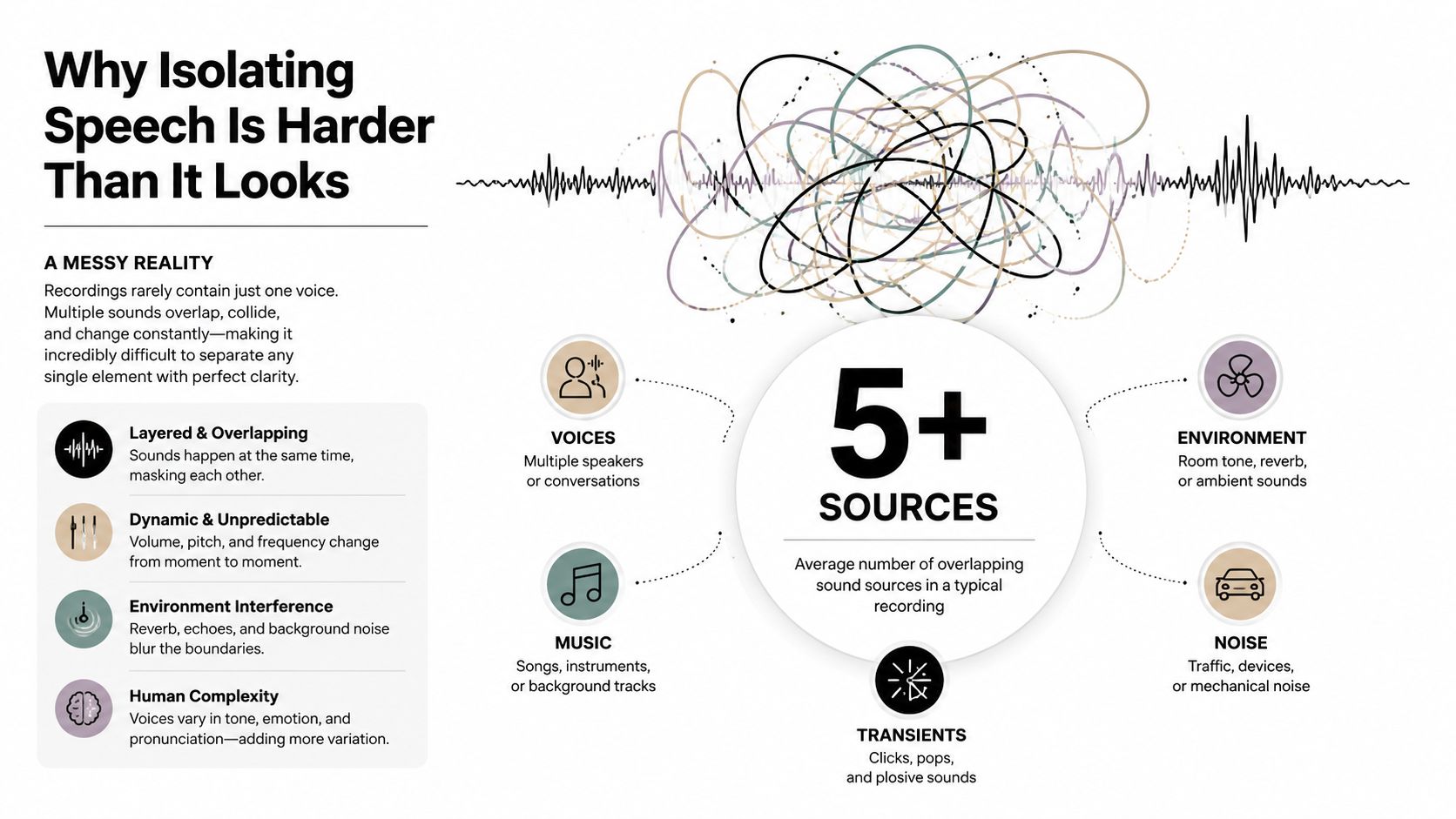
The core problem is separation, not subtraction. A system has to identify the target speaker, suppress interference, and keep the result intelligible enough to use in the final deliverable. In practical terms, that means overlapping voices, music bleed, and nonstationary noise all fight for the same space, and each one behaves differently from clip to clip.
What real recordings are made of
A clean solo voice is the exception, not the norm. Podcast guests talk over each other, documentary interviews happen in reflective rooms, and field recordings pick up traffic that changes every few seconds. The mixture matters because a tool trained on simple noise reduction often falls apart when the interference is another voice, not a steady hiss.
Practical rule: if you can hear the target speaker but also hear other sources moving in and out, you're dealing with separation, not simple cleanup.
That distinction changes expectations. A denoiser can make a fan less obvious, but it won't reliably pull one speaker out of a crowded panel discussion. A separator can do more, but it has to decide what belongs to the target and what should be removed, which is where artifacts creep in.
Three Methods for Extracting Clean Dialogue
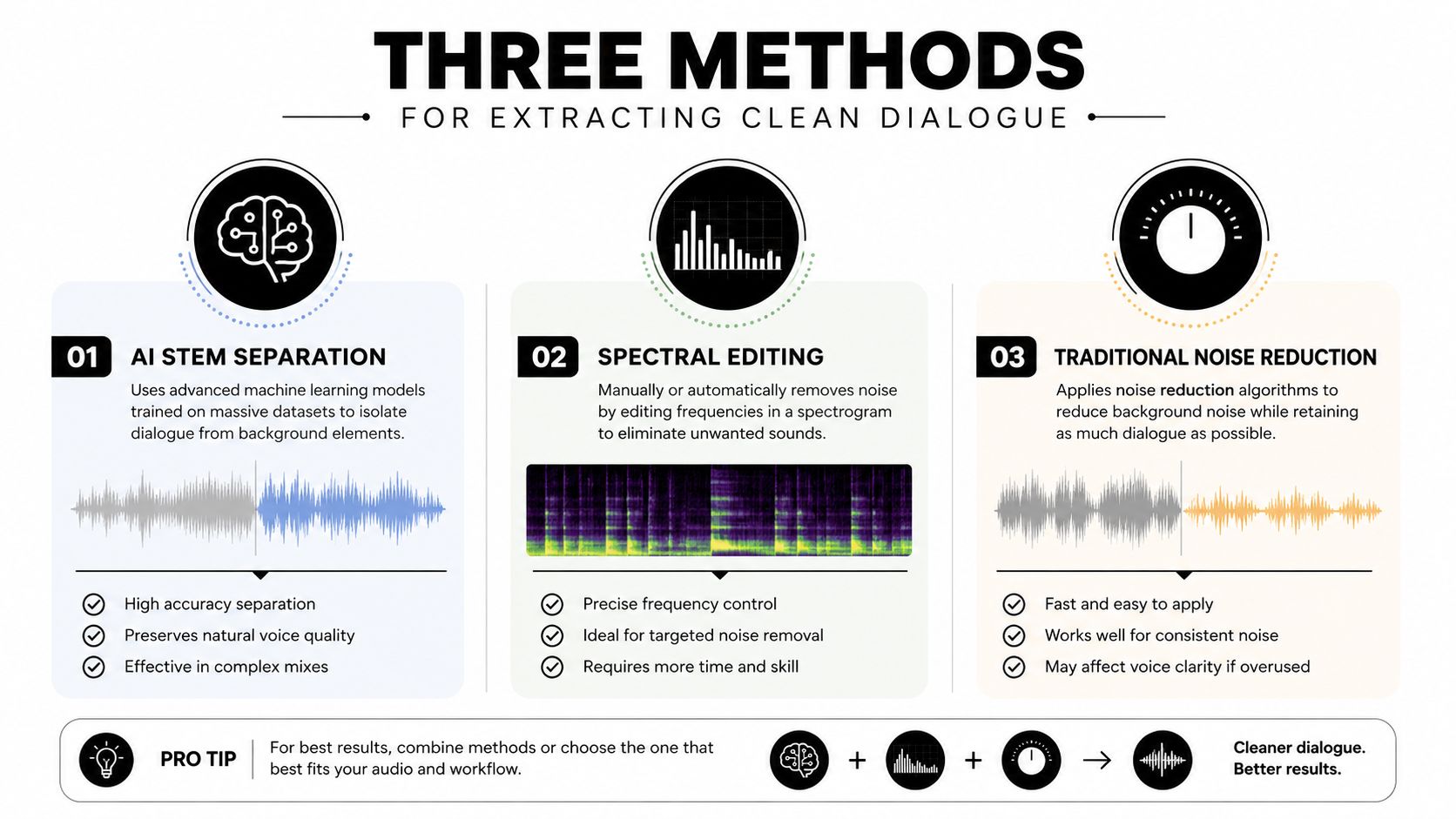
There are three routes I reach for most often, and each one solves a different kind of mess. AI stem separation handles crowded mixtures, spectral editing gives surgical control over specific defects, and traditional noise reduction still earns its keep on steady, predictable noise like hum or hiss.
AI stem separation
Modern speech-isolation systems usually convert the mixture into a time-frequency representation, predict masks or source features with a neural separator, then reconstruct the waveform with a decoder source. That kind of modular pipeline now dominates mainstream separation systems, and it is the reason these tools can pull dialogue out of overlap that would defeat simple cleanup.
Use it when the target voice sits inside real-world mess, especially overlapping speech or mixed media audio. It also shows its limits fast if the recording is unusually reverberant or crowded. The separator only works from patterns it learned from the training mixture distribution, so unfamiliar material can come back with missing consonants, smeared transients, or a voice that sounds isolated but not quite natural.
Spectral editing
Spectral editing is still the cleanest fix for narrow problems. If a tone, buzz, or one ugly transient is poisoning a clip, painting directly in the frequency display gives you control that automated tools cannot match. It takes more time, but it lets you remove only the problem area instead of pushing the whole file through heavier processing.
Use it when the issue is localized and you do not want the rest of the recording to sound processed. It is less useful when the interference is broad, constantly moving, or masking the speech itself. In those cases, aggressive manual repair can leave holes or a chirpy texture that is harder to hide than the original defect.
Traditional noise reduction
Noise reduction works best on stable contamination, like hum, hiss, or a persistent machine sound. It is the most familiar option because it is straightforward to apply, but its weakness shows up quickly when the noise changes over time or when the speech and interference overlap too closely.
A useful way to frame it is simple. Noise reduction is for shaving down a bed of unwanted sound, not for unmixing a conversation. In noisy-environment work on voice activity detection, testing went up to 90 dB and still focused on error types like false acceptance, false rejection, missed speech, and over-detection source. That is a good reminder that even the first stage of a speech pipeline can fail when the room, crowd, or machine noise gets extreme.
If you want a practical reference for preparing source audio before cleanup, the YouTube Download API yt dlp method is useful background, especially when clips need to move into isolation tools in a consistent format.
Isolating Speech with ClearAudio in Your Browser
Browser-based cleanup is attractive because it removes setup friction. You drag in a file, tell the system what to preserve, choose how hard it should work, and review the output before you commit it to the edit. ClearAudio fits that pattern, with prompt-based control over what to keep, including speaker, vocals only, music, speech, dialogue, or background music.
The important part is not just uploading the file. It's telling the model what success looks like. If you want interview dialogue, say dialogue only or name the speaker focus clearly. If you're trying to pull vocals away from the backing music, keep the prompt narrow. Broad prompts are useful for broad goals, but they can leave you with output that's technically isolated and still awkward to use.
Choose the processing mode for the deliverable
ClearAudio offers several quality modes. Small is for quick turnaround, Base is the middle ground, and PRO Large or PRO Large-TV are the options when the result needs the most careful treatment, including video files. That mode choice should follow the deliverable, not habit.
A rough rule holds up well in practice. Drafts and rough transcriptions can tolerate faster modes if you mainly need the words. Final dialogue for client delivery, broadcast, or archival work deserves the mode that leaves the speech least strained. In the broader separation field, objective metrics like SI-SDRi are used to judge how much speech was recovered and how much distortion remains, with reported values up to 21.6 dB for DCF-Net and 18.29 dB for DOA-guided extraction in spatial target speaker extraction work source. That framing matters because you're not chasing “more” isolation, you're chasing the right amount of useful isolation.
Review the result like an editor, not a marketer
Listen for consonants first. Then check whether the voice still sounds connected to the room, unless the deliverable is supposed to be dry. A successful output doesn't just sound quieter. It sounds usable in context.
If the speech is clear but the breath, room, and texture are gone, the setting was probably too aggressive for that job.
The browser workflow works because it gives you a controlled starting point. You can process the file without installing plugins or building a complicated chain, then move on to the core question, whether the output suits the final medium.
Balancing Isolation Strength with Audio Naturalness
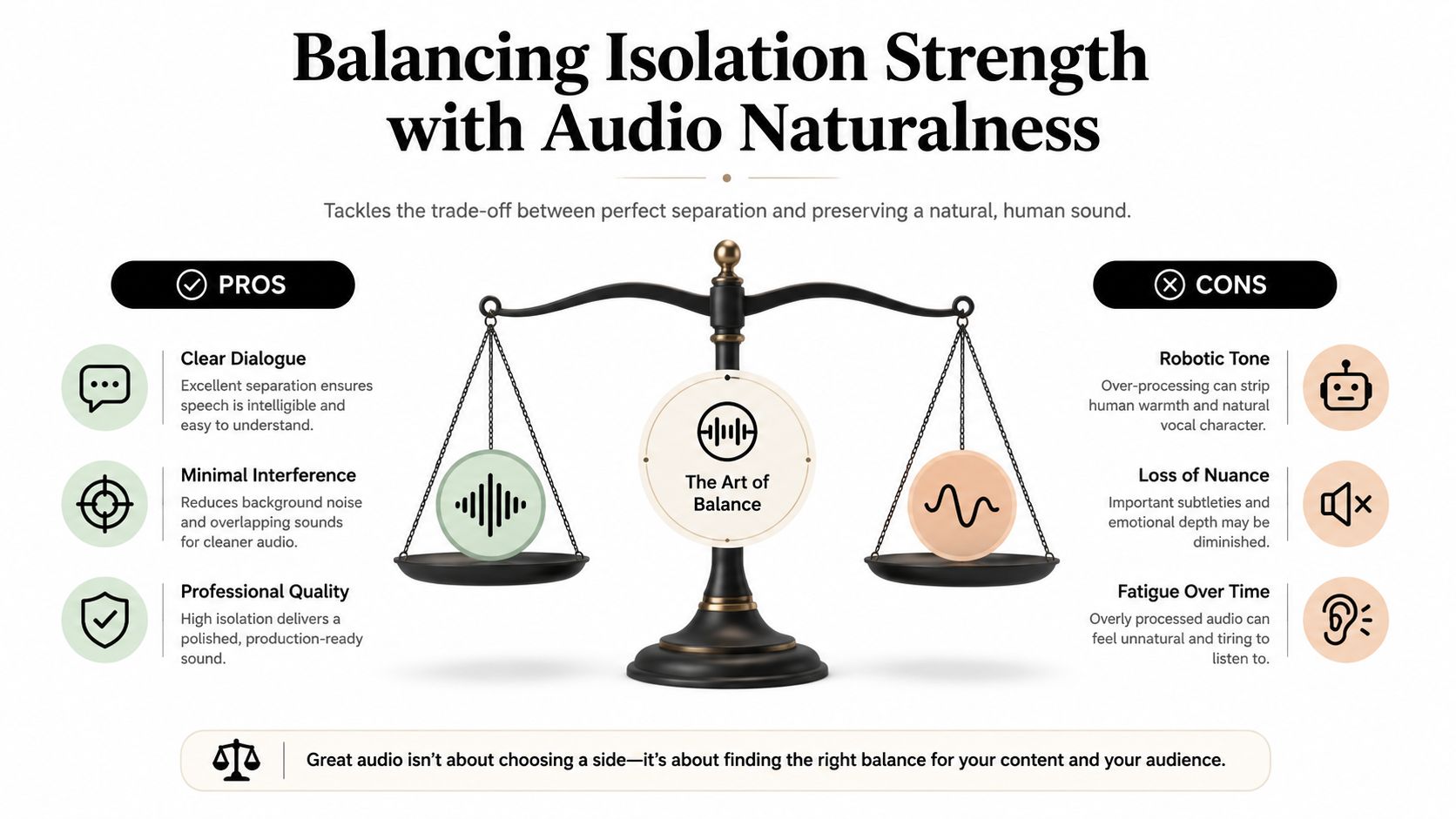
The cleanest file isn't always the most believable one. Push isolation too hard and voices start to sound thin, phasey, or oddly detached from the space they came from. For transcription, that can be acceptable. For film dialogue restoration or podcast delivery, it often isn't.
Match the processing strength to the job
Transcription teams care most about intelligibility. If the words come through cleanly, some processed texture is acceptable because the end user is reading, not listening critically. Film and documentary editors need something different, because they have to cut dialogue back into a scene without making it feel pasted on.
That's why lower-artifact output can be more valuable than maximum suppression. If the room tone disappears completely, the edit can feel disconnected. If the voice is over-cleaned, listeners notice the processing before they notice the content.
Know what overprocessing sounds like
You can usually hear it in the consonants first. They get soft or disappear, and the voice starts to feel like it's wrapped in a blanket of artifacts. Then the body of the voice goes hollow, and any leftover ambience turns into a strange shimmer instead of a believable space.
The trade-off gets sharper in music-adjacent work. Vocals pulled from dense mixes can be useful for remixing, but the more aggressively you chase the vocal, the more likely you are to damage timbre or leave behind weird residue in the accompaniment stem. In that context, “natural” doesn't mean untouched. It means the stem still feels like a real source that can be edited.
Use the lightest setting that solves the actual problem
The right question isn't “Can I remove everything?” It's “What do I need the listener to experience?” A clean transcript wants speech dominance. A scene mix wants continuity. A stem extraction wants separability and editability.
Rule of thumb: the more the final audience will listen critically, the less you want to chase absolute silence between words.
That's the practical balance. Stronger settings buy clarity, but they also raise the odds of audible processing. Softer settings preserve texture, but they may leave enough interference that the deliverable still needs manual cleanup.
Fixing Common Speech Isolation Problems
Most bad outputs fall into a few familiar buckets. The good news is that each one points to a different fix, so you don't have to start over blindly.
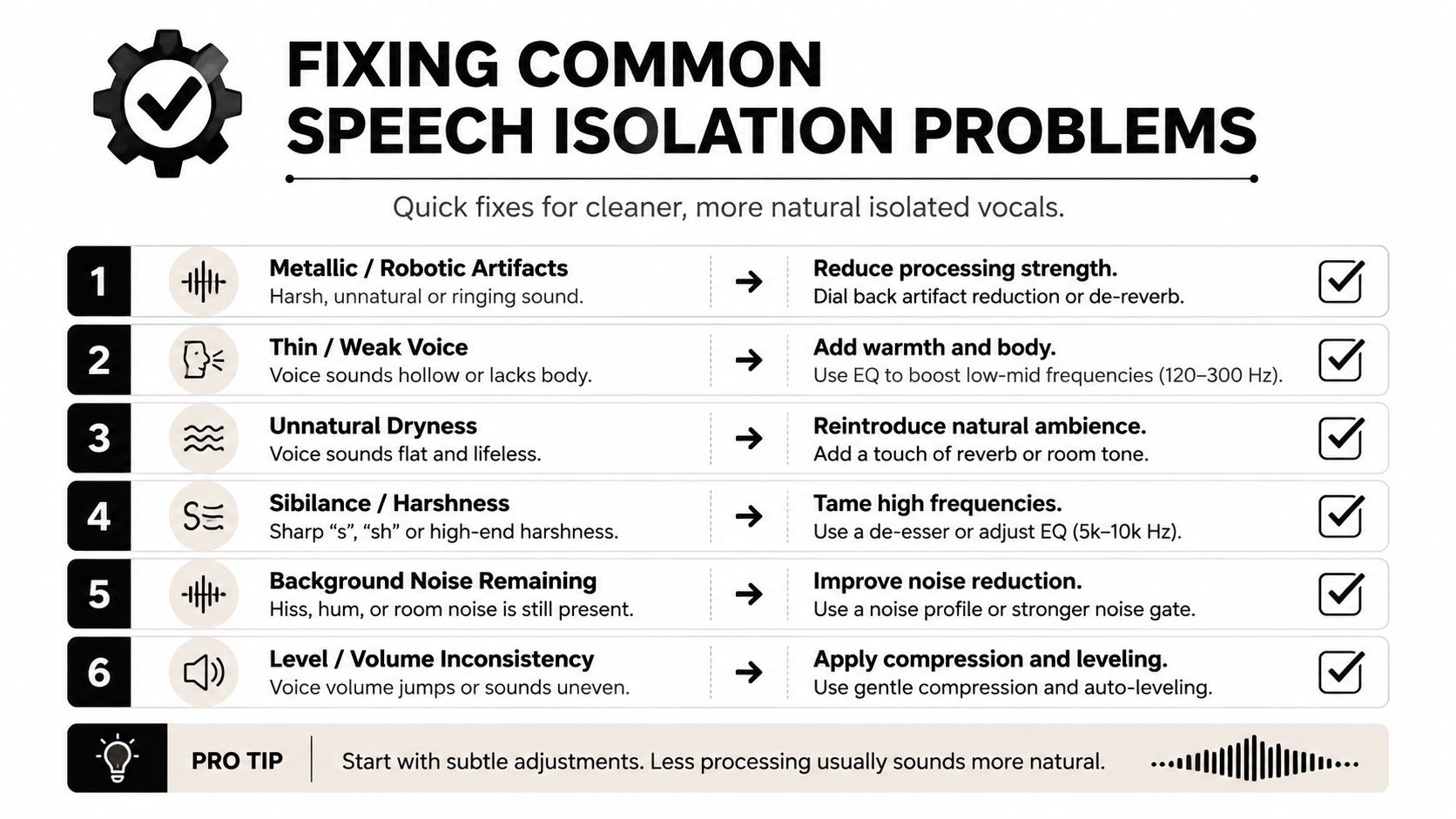
Metallic tone
If the voice sounds metallic or synthetic, the separator probably pushed too far. Back off the strength, or try a mode that preserves more of the original texture. Sometimes a lighter pass followed by manual cleanup sounds more natural than one aggressive pass.
Missing consonants
When the ends of words soften or vanish, intelligibility drops even if the clip sounds “cleaner.” That usually means the algorithm treated parts of the speech as disposable detail. In that case, a less aggressive setting often recovers more of the word shape than another round of processing.
Ghost voices
Ghosting happens when fragments of another speaker remain in the result. It shows up most often in conversations with overlap, and it's a sign that the source wasn't isolated cleanly before final extraction. A diarization-first approach can help here, because the method used in one clinically validated workflow split the conversation into speaker tracks first, then selected the target speaker from those tracks by comparing average loudness source.
Overly dry sound
If the voice is too dry and disconnected, the removal was probably too complete for the deliverable. For dialogue in a scene, that can make the edit sit awkwardly against picture and music. A little room character is often easier to mix than a pristine but lifeless stem.
What to change first
- Lower the isolation strength: Try this before anything else when the output sounds processed.
- Narrow the target: Ask for one speaker or one vocal source instead of the whole conversation.
- Pre-trim the clip: Feed the tool the clearest section, not the crowdest one.
- Separate roles first: Use diarization or speaker segmentation when multiple people overlap.
- Revisit the deliverable: A transcript, a podcast, and a film cut do not want the same sound.
Tailored Workflows for Different Creative Professionals
Podcasters usually want clarity without losing personality. A voice that keeps a little room feel often plays better than one that sounds carved out of the world. Editors in that lane should lean toward moderate isolation, then judge the result in headphones before approving it for release.
Video editors and filmmakers care about integration. Dialogue has to sit with music, effects, and scene ambience, so a stem that's too dry can be harder to place than a slightly imperfect one. Musicians and remix artists usually want a different compromise, because extracted vocals or stems need to remain editable and as artifact-free as possible without collapsing the tonal character of the source.
Transcription teams sit on the opposite end of the spectrum. They usually want maximum intelligibility, even if the audio sounds obviously processed, because the transcript is the product. For interview workflows that are built around that goal, the transcribe an interview workflow resource from WhisperAI.com is a practical companion when speech clarity matters more than pristine tonal realism.
ClearAudio can fit into that range because it accepts speaker and dialogue-focused prompts while offering multiple quality modes for quick cleanup or heavier treatment. That makes it useful when the same team needs one approach for rough dailies and another for final delivery.
If you need speech to come through clearly without turning the recording into a sterile artifact, ClearAudio gives you a browser-based way to isolate dialogue, vocals, or a single speaker with controlled processing strength. Try it on a difficult clip, compare the output in different modes, and see how much naturalness you want to preserve for your next deliverable at ClearAudio.