You've got the script translated, the edit is locked, and someone just asked for a Spanish voice over by tomorrow morning. The brief looks simple at first glance, until you notice there's no target market, the wording is literal, and the timeline leaves no room for trial-and-error in the booth. That's usually where projects start bleeding time, because Spanish localization isn't just recording a different language, it's aligning timing, dialect, performance, and delivery specs before anyone presses record.
Spanish voice over has been part of media production for a long time. Spain's dubbing history goes back to 1928–1931, with the dubbing process invented in 1928, the first film dubbed into Spanish, “Río Rita,” in 1929, and later milestones like “Entre la espada y la pared” and “Desamparados” in 1931 showing how early the craft became established in Spanish-language media RTVE's history of Spanish dubbing. That matters because it explains why this work is operational, not decorative. The process has been shaped by film distribution, broadcast, and streaming for decades, and in Spain it became the standard way many audiences consumed imported cinema after the 1930s the history of film dubbing in Spain.
Table of Contents
- Why Most Spanish Voice Over Projects Stall Before Recording
- Choosing the Right Spanish Dialect for Your Target Market
- Adapting Scripts for Spanish Timing and Natural Delivery
- Recording Setup and Directing the Voice Performance
- Post-Production Cleanup and Dialogue Isolation with ClearAudio
- Quality Assurance and Delivery Specs for Every Platform
Why Most Spanish Voice Over Projects Stall Before Recording
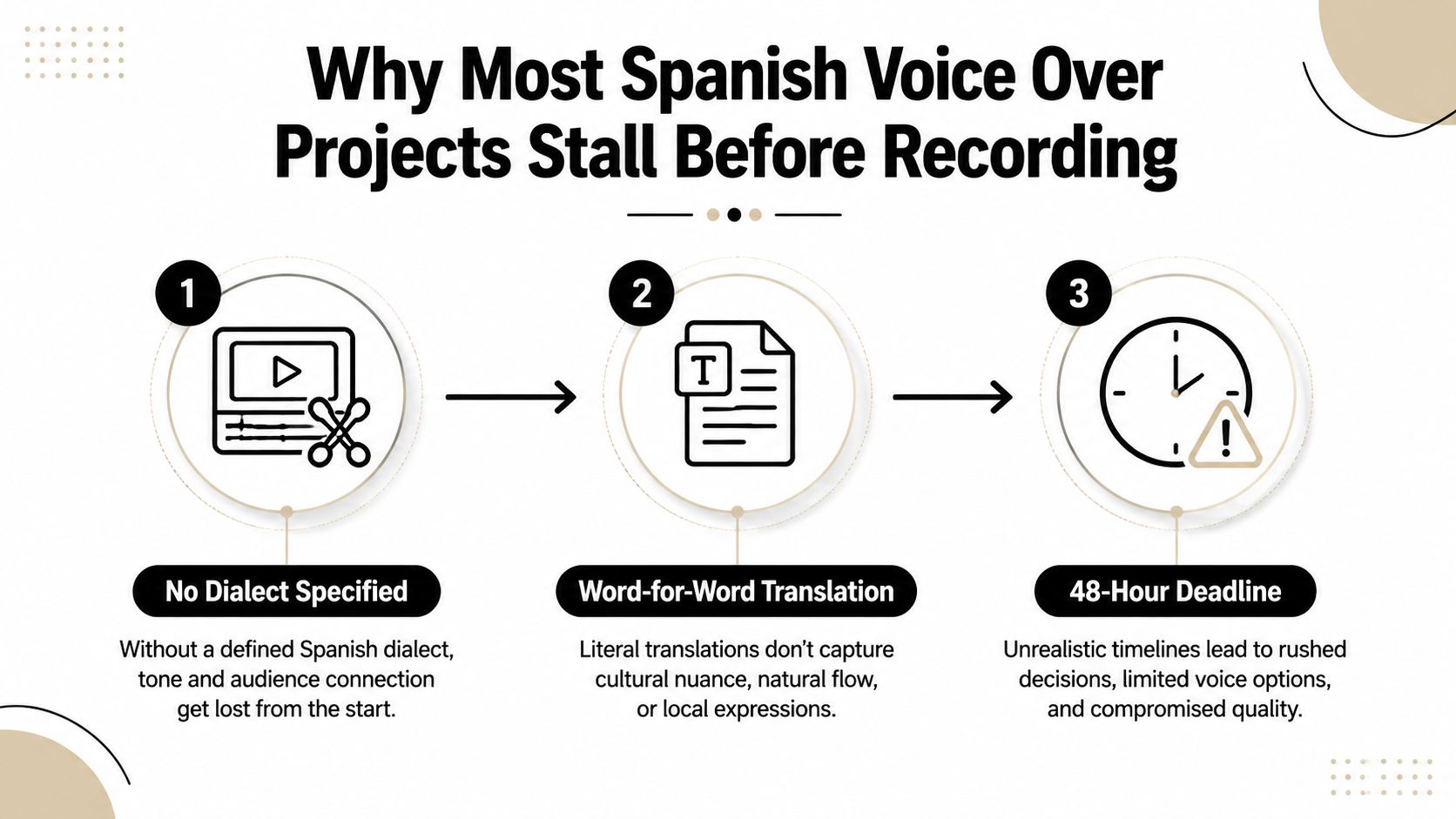
A video editor gets a Spanish brief at 4 p.m. The file is a straight translation, the client never said whether the audience is in Mexico, Madrid, or US Hispanic markets, and the deadline is in 48 hours. The result isn't a recording problem, it's a pre-production problem that has already contaminated the session before the talent has even seen the script.
The three failures that show up first
The first failure is unclear dialect targeting. If nobody decides whether the voice should sound like Spain, Mexico, broader Latin America, or a US Hispanic production, the casting call becomes a guessing game. That usually leads to a read that sounds polished but misses the audience's expectations, especially around pronouns and register.
The second failure is timing blindness. Spanish copy often runs 15-25% longer than English, so a word-for-word translation can look fine on the page and still miss the cut once it meets the video Spanish copy timing guidance. If the script is not adapted for timing before the session, the engineer spends the day trimming breaths, changing phrasing, and chasing sync that should have been solved in writing.
Practical rule: lock the script before the mic is hot. If the words are still changing while the talent is reading, you're paying for retakes, not recording.
What the brief needs before anyone records
The third failure is missing technical specs. A proper brief should include the final timed script, target variety, reference audio, file format, sample rate, and whether the final deliverable is mono or stereo. That same source notes that expert workflow starts with locking the script, checking word count rather than page count, and briefing the session with the target variety, often neutral Spanish, plus technical delivery details Spanish voice-over workflow guidance.
A useful brief also tells the talent what not to guess. If you want a formal compliance read, say so. If you want conversational e-learning pacing, say that too. The cleaner the briefing, the less likely the session drifts into regional color, awkward pacing, or a pickup chain that should've been avoided.
Choosing the Right Spanish Dialect for Your Target Market
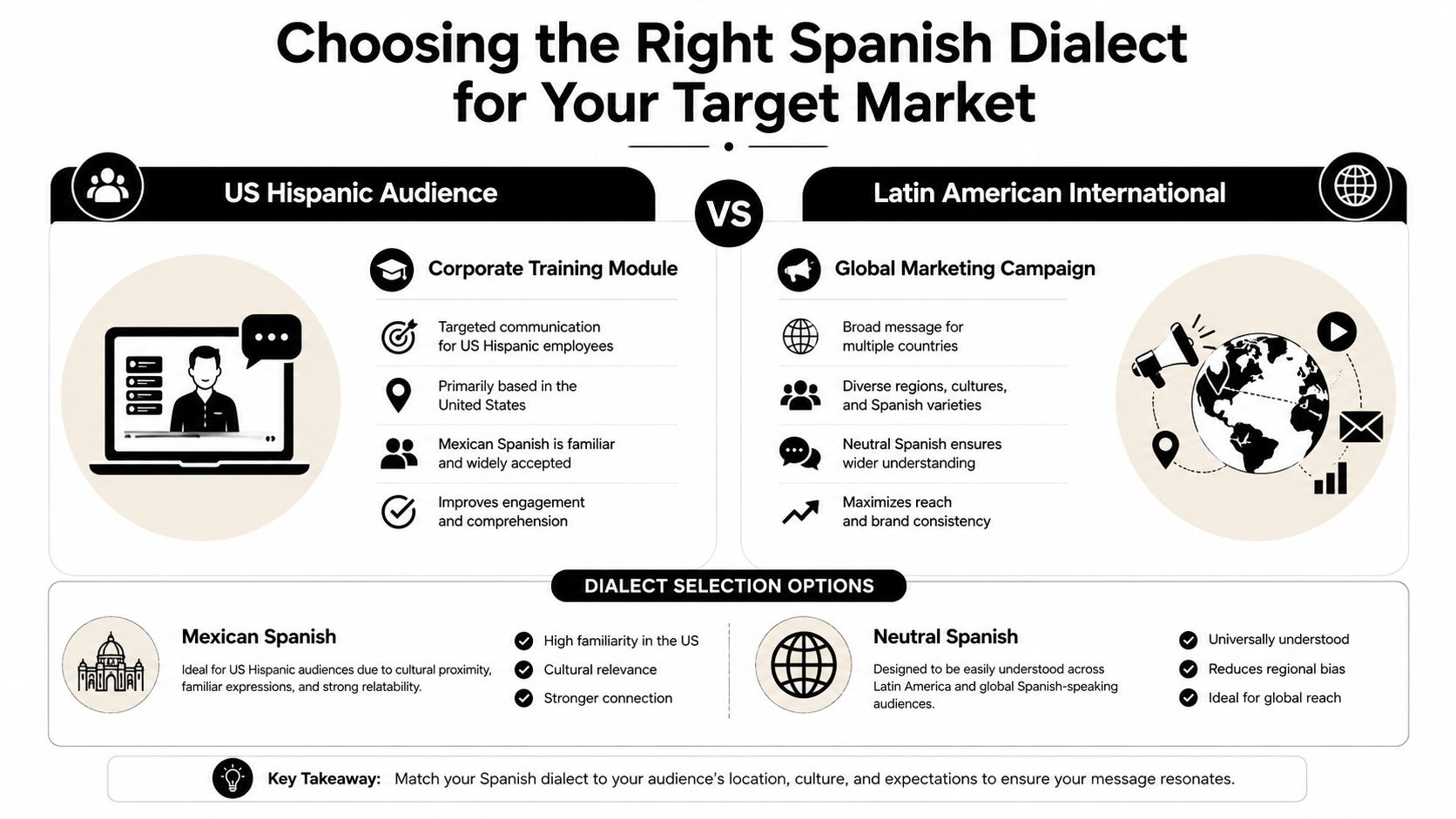
The wrong question is, “Which Spanish voice is best?” The right question is, “Which Spanish does this audience expect to hear in this use case?” That distinction saves a lot of expensive re-recording, because the best choice for a Madrid compliance course is not the best choice for a Mexico City product launch, and neither is automatically right for a US Hispanic training module.
Start with geography, not taste
The fastest way to narrow the choice is to identify the primary geography. Spain, Mexico, broader Latin America, and US Hispanic audiences all bring different assumptions to the same line of script. A corporate training piece for employees in Texas may need a different pronoun system and tone than a marketing asset aimed at customers in Colombia.
That's where tú, usted, vosotros, and ustedes stop being grammar trivia and become production decisions. Spain commonly expects forms that feel natural there, while Latin American markets usually don't want language that sounds imported from Iberian broadcast culture. The voice itself can be excellent and still feel off if the pronoun system and address level don't match the audience.
A broad “neutral” read can work when the asset has to travel across multiple countries and the brand wants to avoid regional markers. It falls short when the content depends on trust, instruction, or compliance, because the audience hears distance instead of clarity.
Match the register to the use case
The next decision is register. A compliance module wants precision and calm authority. A customer-facing explainer may need warmth and pace. E-learning often needs slower articulation and cleaner phrasing than a promo spot.
Pronunciation also matters. Spain often uses distinción, while many Latin American markets use seseo. That doesn't mean one is right and the other is wrong, it means the read should sound native to the listener's market. When teams skip that decision, they usually end up with a voice that sounds technically correct but commercially vague.
A practical casting framework is simple. Define the market first, define the tone second, and only then shortlist talent. If stakeholders can't answer those two questions, the project isn't ready for casting yet.
Adapting Scripts for Spanish Timing and Natural Delivery
Spanish timing fails most often because teams translate the English sentence and assume the read will fit if the voice actor speaks quickly enough. That workflow breaks in the booth and in the edit. The safer approach starts with word count, phrasing, and breath points, because Spanish copy often runs longer than the English original.
Why literal translation breaks the edit
A literal translation keeps the meaning, but it often misses the pace. Spanish usually needs more syllables to say the same thing, so a line that looks harmless on the page can spill past a visual beat or crowd the end of a scene. If you are building an e-learning module with timed on-screen animation, that gap shows up fast.
The fix is not to push the talent to speak faster. Rewrite for rhythm before the session. Trim redundancy, move modifiers, and shape the sentence so the breath lands where the edit needs it.
How to time-copy before recording
The strongest workflow is to lock the final script, verify word count instead of page count, and brief the session with reference audio and delivery specs timing guidance for Spanish voice over. That gives the engineer and talent a stable target instead of a moving one.
For projects that must match visuals, time the script against the edit line by line. Commercial spots usually need tighter sync decisions, while podcast-style narration usually benefits from a more conversational cadence. The method changes, but the goal stays the same, the line has to fit the picture without sounding forced.
- E-learning: keep instructional lines slower, hold terminology stable, and leave room for on-screen actions.
- Commercials: prioritize lip movement and strong breath placement, then tighten the phrasing.
- Narration: protect natural rhythm, because over-editing the line can flatten the performance.
A script that still needs constant fixing in session was not ready on the page. The timing decision belongs in the rewrite, not only in the DAW.
Recording Setup and Directing the Voice Performance
A Spanish voice session goes wrong fast when the room sounds boxy, the mic is too close, or the direction arrives in vague notes like “make it more upbeat.” Spanish consonants can expose sibilance and room reflection quickly, so the setup has to support the performance, not fight it.
Build a clean booth first
Start with the room. If the space is reflective, the cleanest performance still comes back with a halo of echo around it, and that makes post work harder than it needs to be. A decent pop filter, careful mic angle, and consistent distance matter more than people think, especially when the talent leans into plosives or consonant-heavy lines.
The mic position should let the voice stay present without exaggerating sibilance. Slight off-axis placement usually helps when the read gets sharp on certain consonants. The goal is a sound that can survive edits, pickups, and processing without turning brittle.
Direct the read without breaking flow
Direction works best when it's specific and short. Instead of “less formal,” say “keep the phrasing conversational, but maintain a corporate tone.” Instead of “slower,” say “leave a beat after the product name.” The more concrete the note, the less the talent has to guess while staying in character.
Regional drift is another common issue. A talent may naturally lean into a local accent when the brief calls for broader delivery. In that moment, don't interrupt the whole take with a long explanation. Flag the line, give one clean example, and let the actor re-enter the cadence.
Remote sessions add latency, so real-time direction has to be more disciplined. Short notes, clear cueing, and pre-session alignment work better than trying to micromanage every breath. A good read is built from clean instructions, not from constant correction.
Post-Production Cleanup and Dialogue Isolation with ClearAudio
Even a good Spanish recording often needs cleanup. Room noise, low-level hum, and echo can pull attention away from the voice, and on dialogue-heavy projects that's enough to make the file feel unfinished. The best post workflow starts by deciding what the file should keep, not just what it should remove.
Clean the file in the browser
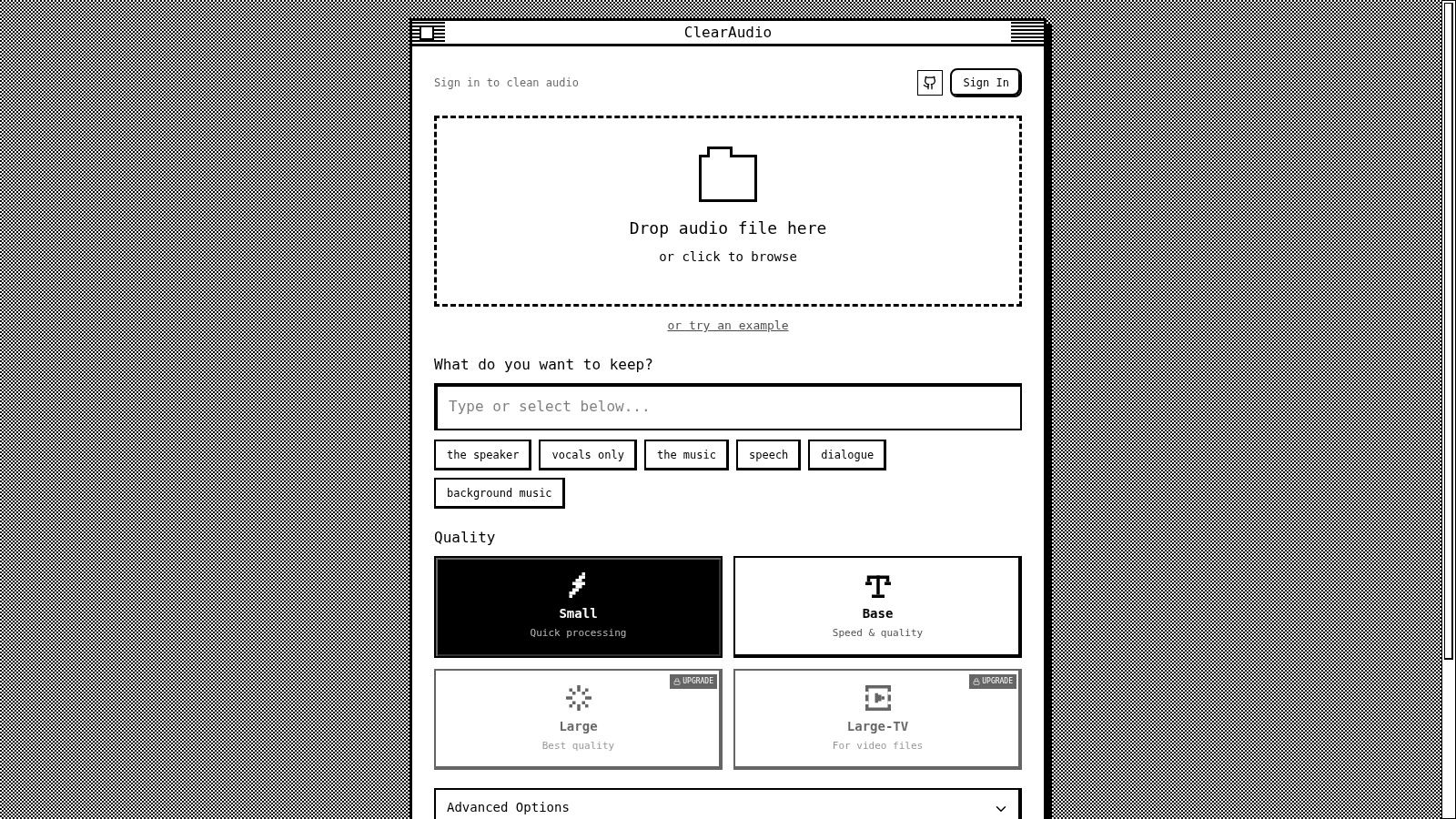
A browser-based cleanup pass works best when you drag and drop the recorded file, then specify exactly what you want preserved, such as dialogue only, while stripping out background hum, room echo, or handling noise. That's the right starting point for rescue work because it keeps the engineer focused on intelligibility, not on trying to manually chase every artifact one by one.
Quality mode matters too. Small is a sensible choice for quick turnarounds, while PRO Large is the better fit when the file has to stand up to more demanding delivery standards. Stem separation is useful when speech and music need to be split, especially if the session was recorded over a bed and the dialogue needs a cleaner lane.
Preserve warmth while removing junk
The main mistake in cleanup is overprocessing. If the noise reduction is pushed too hard, the voice loses body and starts sounding thin or synthetic. Spanish narration often benefits from a natural low-mid warmth, so the goal is to remove distractions without flattening the human character of the take.
Advanced controls are valuable when the recording needs more granular cleanup. Use them when the file has a specific problem, not as a default reflex. Then export in the format the client asked for, instead of assuming one render fits every platform.
Deliver in the right shape
Monophonic delivery is often the safest choice for spoken-word files unless the spec says otherwise. If the project needs video integration, make sure the sample rate and file type match the production pipeline before final export. A clean render is only useful if it slots into the next step without extra conversion.
Quality Assurance and Delivery Specs for Every Platform
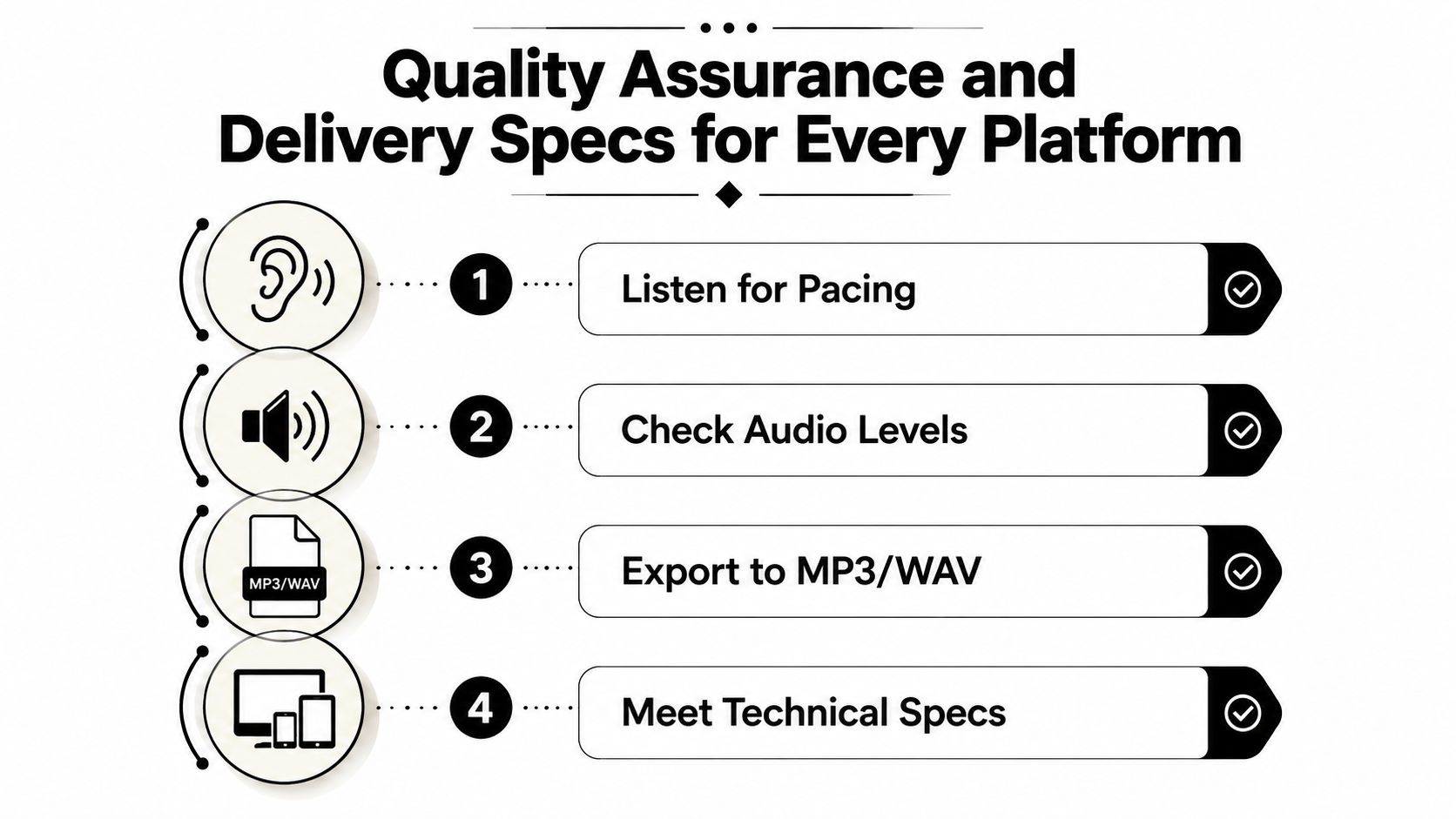
The last mile is where good Spanish voice over work either feels professional or gets bounced back with avoidable notes. QA is not just a listen-through. It is a check for pronunciation consistency, sync, level, and file handling at the same time. If those pieces are not verified together, the client ends up doing the final sorting on their own timeline.
Check the performance before the export
Start by listening from beginning to end for pronunciation consistency and any places where the energy dips unexpectedly. Then compare the file against the video timecodes if the project is visual. That catches drift that does not show up when you are only listening to isolated lines.
A second pass should focus on the handoff details. File naming and version notes matter more than many teams expect, because a delivery that does not clearly identify the final file creates confusion before the client even opens it. The handoff should show which file is final, what revision it represents, and whether the client is receiving one master or multiple platform-specific versions.
Agencies that build a repeatable QA template usually save themselves from repeated clarification loops. It also helps the editor spot missing pronunciations, alternate takes, or timing fixes before the package leaves the studio.
Match the platform spec, not just the voice
Different platforms want different delivery discipline, even when the voice performance itself is solid. Broadcast, streaming, podcast, and e-learning each have their own technical expectations, and the file has to be shaped for the destination. That means confirming output format, loudness targets, and whether the final file needs to be mono or stereo.
Platform choice should follow the actual use case, not a generic assumption about what Spanish voice over delivery should look like. A short ad read going into broadcast needs a different final shape than a course module, and a podcast intro has different room for technical compromise than a video asset that will be cut into an edit suite. The practical job is to make the exported file fit the next stage without forcing the client to convert it again.
A clean delivery packet should include the final audio, version notes, and any pronunciation or script decisions that affected the read. If a client asks for a revision later, those notes make it easier to track what changed without reopening the entire project. They also protect the final file from unnecessary back-and-forth over a line that was already approved.
The best handoff documents are boring in the right way. They tell the client what they have, what changed, and what they can approve without asking follow-up questions.
If you need cleaner Spanish dialogue, faster rescue on rough recordings, or a simpler way to turn messy audio into something ready to ship, visit ClearAudio. It helps when the recording is imperfect and the dialog needs isolation, cleanup, and final polish before delivery.